Why Google Cannot Find Your Church Website
A church website can be live and still missing from Google. Here is a five minute test any pastor can run, and what to do about the results.
Part 3 of 6 in our series, Six Ways Your Church Can Be Found.
Your church has a website. Someone built it, the address works, and you can pull it up on your phone. But when a family new to town searches for a church nearby, your site never appears. It is one of the most common problems we find, and it is usually fixable in an afternoon.
A website can exist and still be invisible
Google does not show every website it finds. Before a page can appear in search results, Google has to be able to reach it, read it, and decide it is worth showing. Three things block that more often than anything else on church websites.
1. A setting that tells Google to stay away. Many website builders have a checkbox that hides a site from search engines while it is being built. It is easy to forget to turn it off at launch. As long as it is on, Google is being asked not to show your pages.
2. A redesign that broke the old addresses. When a church gets a new website, page addresses often change. If the old addresses are not pointed to the new ones, Google keeps sending people to pages that no longer exist, and it takes time to learn the new ones.
3. No padlock. Google treats secure websites, the ones whose address begins with https and shows a padlock in the browser, as the standard. A church site without it can look unsafe to visitors. Google Search Console even has a report that shows which of your pages are secure, and Google requires a secure website before a church can use the Google Ad Grant.
The five minute test
You can check your own website right now, at no cost.
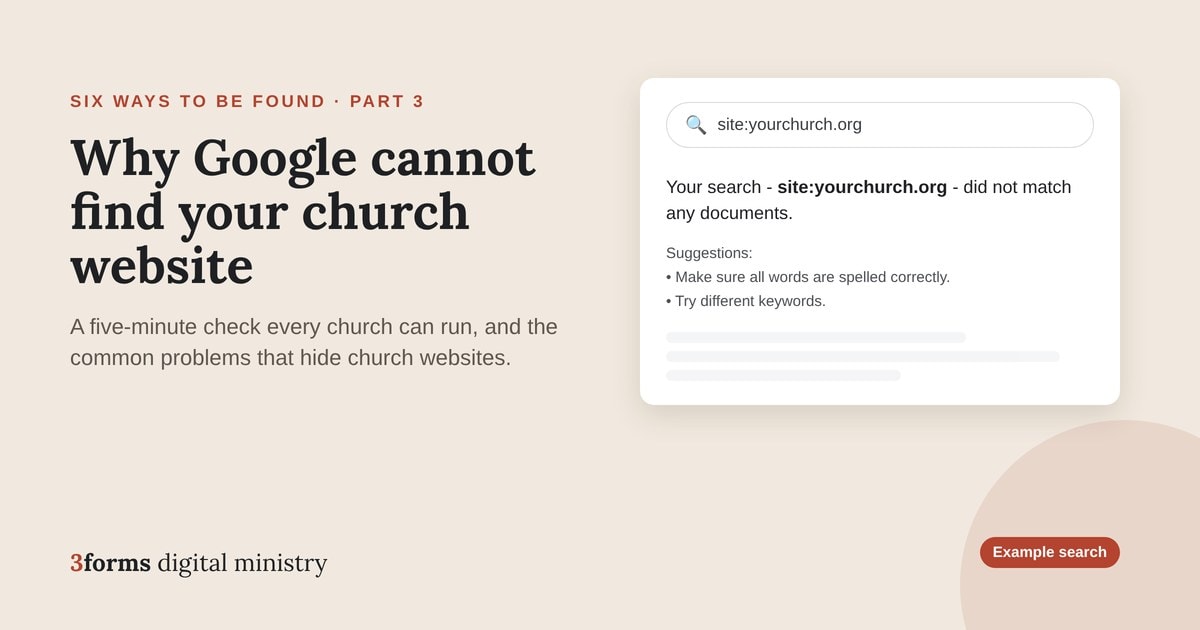
First, go to Google and type site: followed by your website address, with no space. For example: site:yourchurch.org. Google will list the pages it is showing from your site. If you see only one or two results, or none at all, Google is not showing most of your pages.
Second, open your website and look at the address bar. You should see a padlock, and the address should begin with https.
Third, open your website on your phone. Most people who look up a church do it on a phone. If the page is slow, hard to read, or jumps around while it loads, many visitors will leave before they find your service times.
Two free Google tools that help
Google Search Console is a free tool from Google that shows which searches bring people to your website, which pages Google is showing, and any problems Google has found. It belongs to your church, and you can give access to a volunteer or a company you trust without sharing a password.
A sitemap is a simple list of the pages on your website. Most website builders create one automatically. Adding it to Search Console tells Google exactly which pages you want found, which helps after a redesign.
What to do this week
Run the site: search and write down how many pages Google shows. Check for the padlock. Ask whoever manages your website whether the hide from search engines setting is turned off, and whether Search Console is set up. Those three answers will tell you most of what you need to know.
How we can help
If the test turns up a problem, start with our free Church Digital Audit. We will look at how Google sees your website and tell you plainly what is wrong and what it takes to fix it. If you want our help, we can set up Search Console in your church name and fix the problems with your approval. Nothing goes on your website without your approval, and we never ask for passwords by email.
See the audit and our plans at 3formsdigitalministry.com/services, call us at (775) 686-8287, or send a message from our contact page at 3formsdigitalministry.com/contact.
Previous in this series: Approved for the Ad Grant but Not Running Ads.
Start of the series: What Is the Google Ad Grant, and Could Your Church Use It.
Want help with this? See our church SEO service.
Sources
Explore Topics
Written by
3forms Digital Ministry
Content creator and writer sharing insights and stories.